
OctoBot Crypto Trading Bot Review 2026
Affiliate Disclosure:
GNCrypto editors review services independently. If you click on affiliate links, we may earn commissions, which help support our testing. The goal of our reviews is to provide our readers with the most objective and unbiased overviews of available platforms for spot crypto trading.
OctoBot Trading Bot

OctoBot is a strong pick for traders who want API-driven automation without moving funds off their exchange. But strategy results depend heavily on configuration quality, and beginners can struggle with parameter setup.
GNcrypto’s Verdict

OctoBot works well when you want a bot that trades on a connected exchange via API keys and places orders directly on your exchange account, without moving funds to a third-party service. In this review, we tested on Binance (spot), but OctoBot connects to other supported exchanges (for example, OKX, Bybit, Coinbase, and KuCoin). OctoBot includes paper trading, a defined pricing matrix, and separate modes for investing-style automation (DCA, baskets) and more active workflows (TradingView automation, futures in higher tiers).
OctoBot does not guarantee returns. It is a tool that executes a strategy and requires careful configuration: entry parameters, capital allocation, loss limits, and market selection. For beginners, the value is being able to test with simulated funds and start on a free tier. For experienced traders, the value is flexibility, including TradingView integrations and the option to move to a self-hosted setup.
- Clear custody model: funds stay on the exchange and the bot trades via API
- Paper trading and backtesting help validate ideas before going live
- Flexible deployment: OctoBot Cloud and an open-source self-hosted option
- Results depend heavily on configuration parameters
- Many strategies require a minimum order size and fee level on the selected exchange
- Key features (TradingView, futures, bot limits) depend on the plan tier
On this page
- OctoBot Overview and Workflow
- Automation Tools and Core Functionality
- Core automation modes
- Interfaces and monitoring
- Open-source and self-hosted
- Upsides and Trade-Offs to Consider for OctoBot Setups
- Is OctoBot Worth It in 2026?
- Pros and Cons of Using OctoBot
- GNcrypto’s Overall Bot Rating: Scoring By Category
- Trustworthiness Check
- Methodology: How GNcrypto Tested The Trading Bot
- How Data Is Collected
- Categories & Weights

Fees & Funding
4.5/5
Leverage & Margin
4.5/5

Fees & Funding
4.2/5
Leverage & Margin
4.2/5

Fees & Funding
4.2/5
Leverage & Margin
4.3/5

Fees & Funding
4.4/5
Leverage & Margin
4.2/5

Fees & Funding
4.5/5
Leverage & Margin
4/5
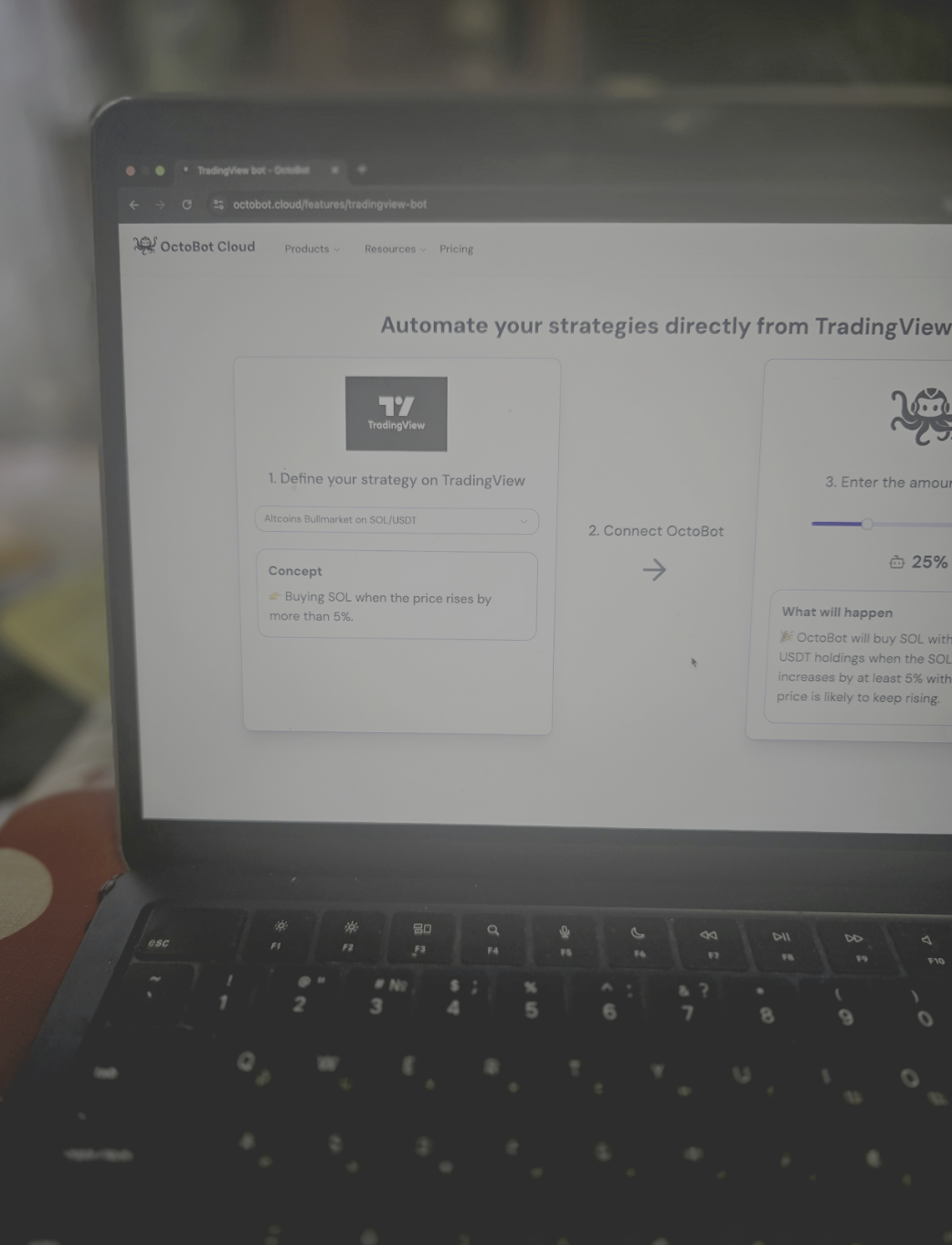
OctoBot comes in two formats: an open-source bot you can self-host and OctoBot Cloud, which runs in a browser on a subscription. OctoBot is not tied to one exchange. It connects to an account on a supported venue via API keys and executes the strategy on that exchange. For this test, we used Binance (spot) to validate the baseline path from account creation to running the bot on a live account. We also checked API connection with trade-only permissions, paper trading behavior, launching a baseline strategy, and whether status notifications stayed accurate.
OctoBot has a free open-source version you can self-host. OctoBot Cloud uses a freemium model with three main tiers: Investor (free), Investor Plus ($9.99/month), and Pro ($29.99/month), with annual and lifetime options available. Investor Plus expands strategy access and supports up to 10 concurrent bots. Pro adds TradingView automation and futures access, and raises the limit to up to 30 bots. Paid tiers are offered with a 7-day free trial.
OctoBot Overview and Workflow
In this section, we describe the user path, meaning how OctoBot trading bot behaves in a real setup.
1) Registration and account
We started with OctoBot Cloud because it matches a common user workflow. Registration uses email and password. After that, you can stay on the free plan or activate a trial of a paid tier.
OctoBot itself does not run KYC. Requirements depend on the exchange you connect to.
2) Connecting an exchange via API keys
For this test, we connected Binance in spot mode, so we created a Binance API key. We set it up so the bot could trade but could not withdraw funds:
- Enabled trade permissions (order placement)
- Disabled withdrawals
- Enabled IP restriction (OctoBot Cloud IP only)
This matters because incorrect API permissions increase the risk of unauthorized actions and loss of account control.
3) Paper trading run
Before going live, we ran the strategy in paper trading. This step filters common issues early: the wrong market, an order size below the exchange minimum, incorrect grid or DCA parameters, or a trade frequency where fees start to dominate.
Issues caught in paper trading:
- Order size below exchange minimum: Our initial DCA setup used $8 per order. Since Binance’s spot minimum is 10 USDT, the bot triggered “notional below minimum” errors. We adjusted to $12 per order.
- Fee math vs. Taker rates: We modeled 0.05% (maker) fees, but volatility forced taker execution (0.1%) on 60% of exits. Paper trading revealed that actual fees would be 2x higher than our projection.
- Telegram bot token misconfigured: The first alert test failed silently. We had to regenerate the Telegram token and re-paste it into OctoBot. Paper testing surfaced before we missed live alerts.
4) Live run on a real account
On the live run, we used a $200 deposit and two approaches:
- A baseline strategy with default settings (to observe default behavior)
- A tuned strategy (to evaluate flexibility and risk control)
On the free OctoBot Cloud tier, we also ran a BTC range-market setup. Over the observation window, the bot closed five trades and produced about $7 in PnL. This reflects strategy behavior in a low-volatility regime and order execution quality, not a return forecast.
Friction points during live run:
- Static IP vs. Server Rotation: We whitelisted OctoBot Cloud’s primary IP on Binance, but during a server rotation, the connection dropped for 45 minutes. We had to whitelist the entire secondary IP range provided by OctoBot support.
- Grid breakout scenario: When BTC spiked on day 4, our range setup failed to halt. The bot kept buying above the upper bound, accumulating high-priced inventory. We manually paused at -$12 unrealized loss.
Takeaway: OctoBot doesn’t enforce range boundaries by default; stop conditions must be set explicitly. When configuring a bot, confirm the exchange minimum order size and factor in fees. Otherwise, the bot submits orders that fail exchange limits or lose profitability to fees.
Automation Tools and Core Functionality
In OctoBot crypto trading bot features, we list functions that matter for strategy setup and execution: automation modes, integrations, risk controls, and monitoring tools.
Core automation modes
- DCA and asset baskets. Useful when you want recurring buys and portfolio allocation based on rules.
- Grid approaches. Relevant for range markets when you set a price band and understand how the grid behaves on a breakout.
- TradingView automation. A workflow for traders who already build signals in TradingView and want the bot to execute without manual clicks.
- Futures (higher tiers). Here we checked how risk limits are set and what leverage and margin constraints apply, because those depend on the exchange.
Interfaces and monitoring
OctoBot offers a web interface and monitoring via mobile and Telegram. In practice, the control loop comes down to three checks:
- the bot stays connected to the exchange
- the strategy executes according to parameters
- risk limits are enforced (stops, size limits, drawdown-based shutdown)
Open-source and self-hosted
If you want maximum transparency or you prefer not to store API keys in a cloud service, you can choose the open-source version. In that setup, the bot runs on your server or computer, and you are responsible for installation, updates, and environment security. OctoBot Cloud runs in a browser on a subscription, so starting and monitoring require less infrastructure. API keys are stored by the service in encrypted form, and access control depends on your account settings.
Upsides and Trade-Offs to Consider for OctoBot Setups
In this OctoBot review, we tested real-world behavior: controllability, predictable operation, and risk management on a live exchange account.
With OctoBot Cloud, the starting point is correct API permissions and a verified connection. The key must allow trading and data reads, and it must not allow withdrawals. After connecting, confirm the bot sees balances, markets, and order history, and that status notifications arrive without lag. At this stage, paper trading helps surface issues that show up fast: the wrong market, an order size below the minimum, parameters that create excessive trade frequency, and fees that start to materially affect outcomes.
Next, we evaluated control depth. With ready-made templates like DCA or grid, OctoBot provides baseline automation and lets you move quickly into execution testing. When you connect TradingView signals or use more active settings, risk controls become more important. You need predefined trade-size caps, loss limits, and stop rules. Otherwise, the bot will keep executing signals through unfavorable market phases. We also noted that results depend on the exchange: minimum order sizes, fee schedules, and available pairs determine whether a strategy can operate in the intended mode.
There is also a deployment trade-off. The cloud option reduces infrastructure work and speeds up the start, but it stores API keys on the service side in encrypted form. A self-hosted open-source setup gives more control over the environment and access, but puts server security, updates, and uptime on the user.
Is OctoBot Worth It in 2026?
If you read OctoBot crypto trading bot review as a tool selection, define what you want to automate: TradingView signal execution, DCA, grid strategies, rebalancing, or futures trading.
OctoBot is worth considering if:
- you want systematic execution without manual actions and you are willing to validate in paper trading
- you use TradingView and want signals executed automatically
- you want funds to remain on the exchange, with API keys set to trade-only permissions
OctoBot is a weaker fit if:
- you expect returns from default settings without testing
- you are not ready to monitor risk and adjust parameters
- you want discretionary decisions made by a human team (this is a different product category)
Pros and Cons of Using OctoBot
In this section, we look at automation quality, total cost of ownership, and day-to-day controllability. We used a baseline scenario: exchange connection via API, strategy launch, status monitoring, and clear plan limits.
Strengths:
- Free tier with paper trading worked as advertised: we ran a baseline grid strategy in paper mode for 48 hours, caught an order-size error (below Binance’s 10 USDT minimum), and fixed it before going live. This saved us from failed orders on the real account.
- API connection took under 5 minutes: created Binance API key with trade-only permissions, pasted into OctoBot Cloud, connection confirmed instantly. The bot saw balances, order history, and open positions without issues. IP restriction worked – we tested login from a different IP and the bot correctly refused to execute trades.
- Live run on $200 produced 5 completed trades over 72 hours (BTC range-market setup, 0.5% grid spacing). Total PnL: +$7.10 before fees, +$6.30 net after Binance’s 0.1% taker. The bot handled order placement, tracking, and closure without manual intervention.
- Telegram notifications arrived within 10 seconds of each fill. When we paused the bot mid-session to test stop behavior, it halted order placement immediately and showed “Paused” status across web and mobile interfaces.
Weaknesses:
- Configuration mistakes cost money. In our first paper-trading attempt, we set grid spacing too tight (0.2% on BTC), which triggered 23 trades in 24 hours. Simulated fees ate 40% of gross profit. We widened spacing to 0.5% before going live, but beginners without paper-trading discipline will burn capital on live setups.
- Subscription cost hits small accounts hard. On the free tier, you’re limited to 1 bot. To run DCA + grid simultaneously (for example, BTC DCA + ETH grid), you need Investor Plus at $9.99/month. On a $200 account earning $6–$8/month, that’s 125%+ of gross profit eaten by the subscription alone, before exchange fees.
- Cloud storage of API keys creates counterparty risk. OctoBot encrypts keys and restricts withdrawal permissions, but you’re trusting the service with trade access. A self-hosted setup eliminates this risk but requires server management – we tried Docker deployment on a VPS and spent 90 minutes troubleshooting port conflicts and SSL certificates.
- Grid strategies in trending markets produce drawdown without safety nets. Our BTC range setup assumed $68k–$70k consolidation. When BTC spiked on day 4, the bot kept buying into the breakout (no stop-loss by default). We manually paused it at -$12 unrealized loss. Without active monitoring, this could have scaled to -$50+ before mean reversion.
GNcrypto’s Overall Bot Rating: Scoring By Category
| Criteria | Rating (out of 5) |
|---|---|
| Automation Quality & Execution | 4.2 |
| Strategy Performance & Backtesting | 3.8 |
| Risk Management & Controls | 3.6 |
| Costs & Fee Transparency | 4.1 |
| Exchange Coverage & Asset Support | 4.5 |
| User Experience & Setup | 3.8 |
| Customer Support & Documentation | 3.7 |
Trustworthiness Check
To keep this OctoBot check grounded, we relied on sources you can verify.
- Pricing and limits. Subscription tiers and pricing are listed on the official pricing page.
- API security and withdrawal permissions. The OctoBot Cloud FAQ describes security measures and states that the service avoids withdrawal-enabled keys when possible.
- Supported exchanges. OctoBot maintains a dedicated page for partner exchanges and officially supported integrations.
- Open-source base. The GitHub repository shows ongoing development, a change history, and documentation.
- Scam risk. Anyone claiming to represent OctoBot and requesting funds to a third-party address is a scam. The official FAQ includes a warning on this topic.
Methodology: How GNcrypto Tested The Trading Bot
We evaluate bots using GNcrypto’s crypto trading bot methodology. This is a hands-on test that includes exchange connection, order execution observation, paper trading validation, and a live run with a $200 deposit. Our goal is not to predict returns. We check whether the tool is controllable, transparent, and safe under baseline settings.
How Data Is Collected
- Public sources: pricing, API key documentation, supported exchange lists, and descriptions of paper trading and backtesting.
- Hands-on testing: registration, API key creation, exchange connection, paper trading run, a live strategy run with a $200 deposit, and logging of order behavior and connection status.
Categories & Weights
- Automation Quality & Execution: 30%
- Strategy Performance & Backtesting: 25%
- Risk Management & Controls: 15%
- Costs & Fee Transparency: 10%
- Exchange Coverage & Asset Support: 10%
- User Experience & Setup: 5%
- Customer Support & Documentation: 5%
Important: this methodology is not a solvency audit and it does not guarantee profits. The rating reflects automation quality, risk controllability, and rule transparency in the product and its documentation.
Latest News





Recommended Articles/Reviews



The material on GNcrypto is intended solely for informational use and must not be regarded as financial advice. We make every effort to keep the content accurate and current, but we cannot warrant its precision, completeness, or reliability. GNcrypto does not take responsibility for any mistakes, omissions, or financial losses resulting from reliance on this information. Any actions you take based on this content are done at your own risk. Always conduct independent research and seek guidance from a qualified specialist. For further details, please review our Terms, Privacy Policy and Disclaimers.