Phantom crypto wallet review 2026: hands-on test of chains, UX, security
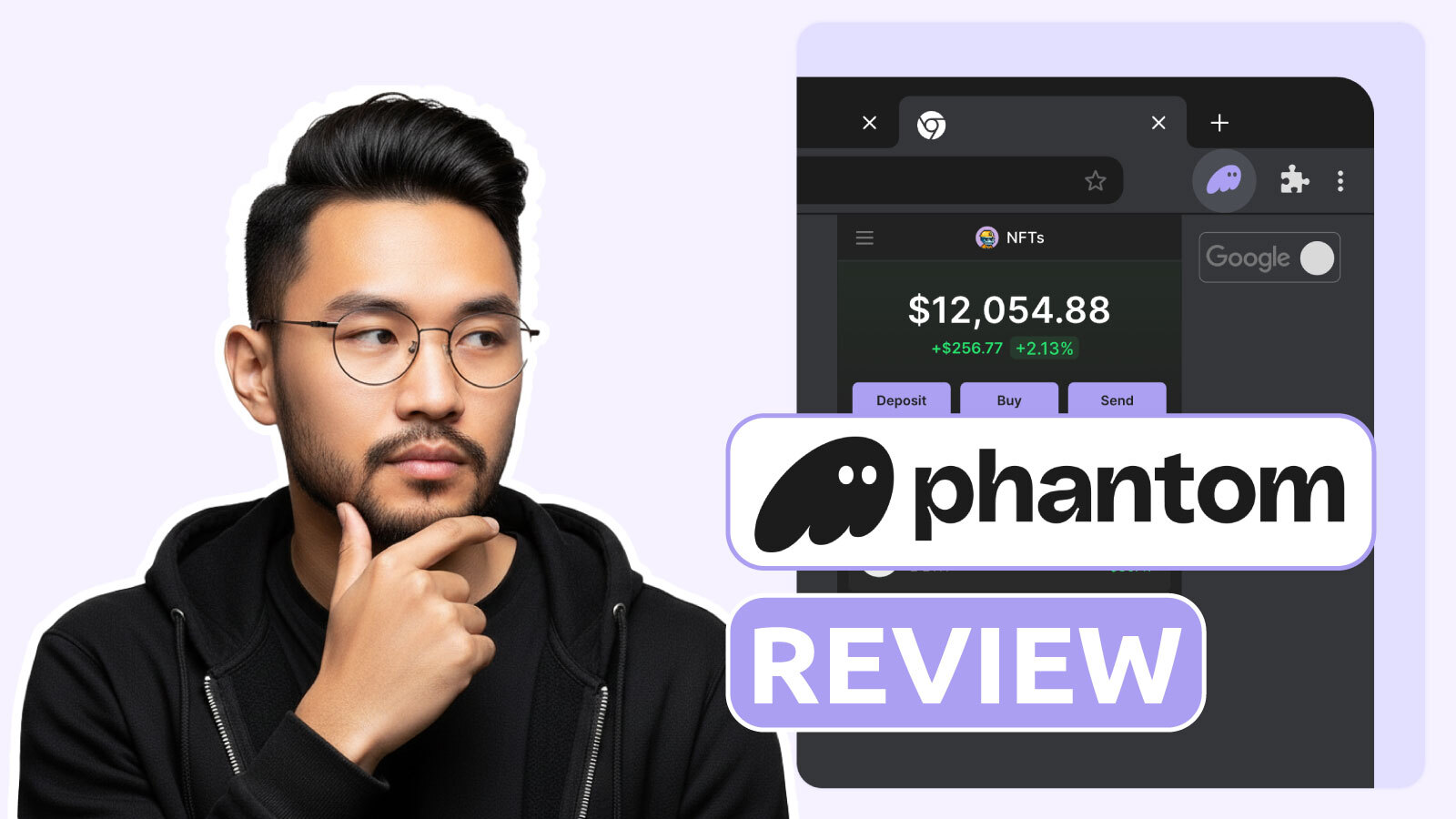
GNcrypto analysts tested Phantom wallet over 7 days: created new wallet via seed phrase and Seedless Login, sent test transactions including SOL, ETH, USDC on Polygon, connected to Uniswap and Magic Eden, and measured transaction preview accuracy. Final score: 4.0/5 – excellent for Solana users, limited for multi-EVM needs.
Because Phantom began as a Solana wallet, that focus is still visible in daily use. SPL tokens, NFTs, and SOL staking are all built into the standard workflows and don’t need extra setup. At the same time, Phantom now functions as a multi-chain dashboard: assets and activity from Solana, Ethereum, Polygon, Bitcoin, Base, and Sui appear in one interface.
A practical limitation is EVM network coverage. During our testing, Binance Smart Chain, Arbitrum, Optimism, and Avalanche were not supported. That means tokens on these networks won’t show up in Phantom, and users who rely on these chains will need a second EVM-compatible wallet (like MetaMask) to manage them.
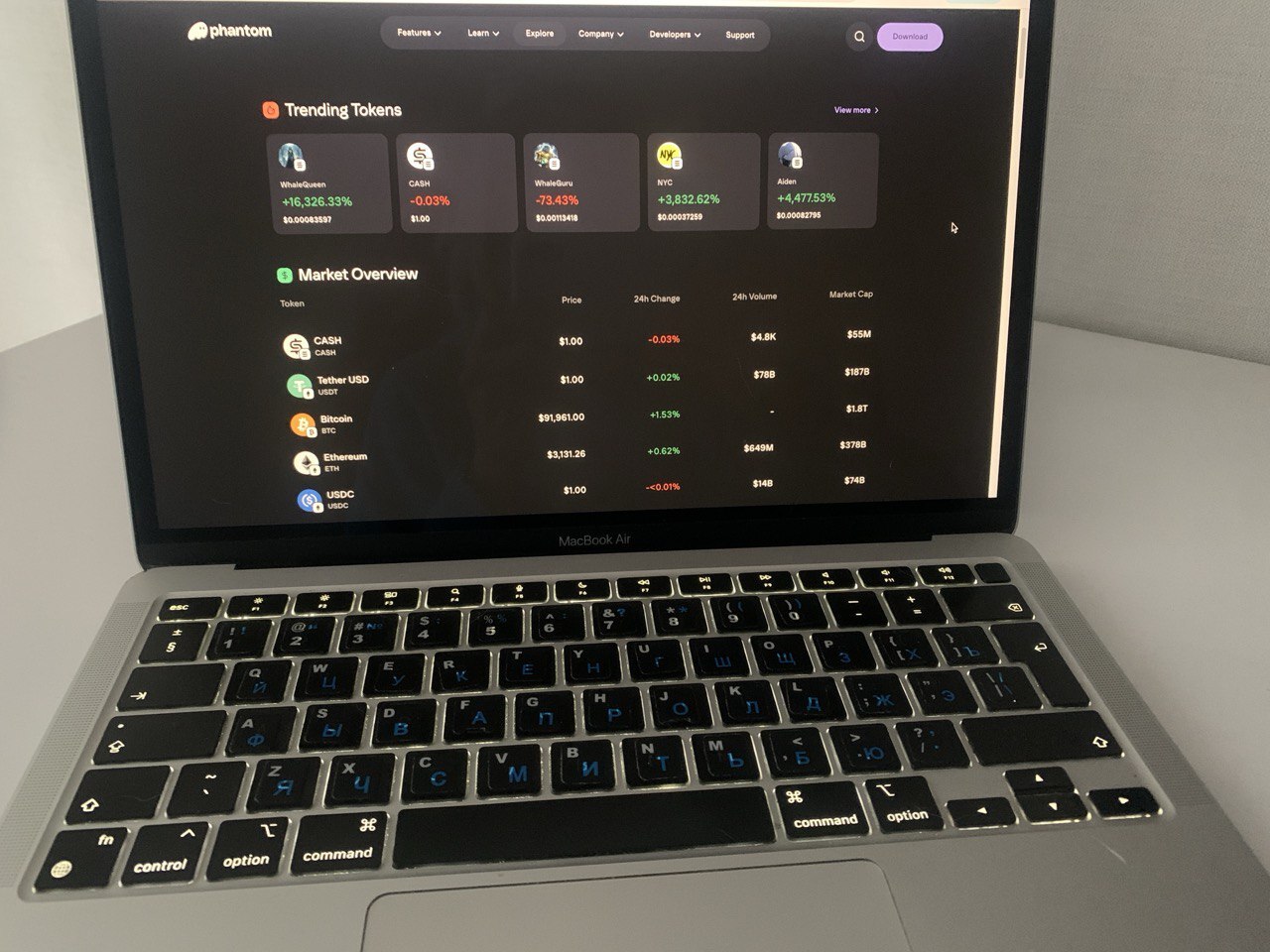
Testing process: we installed the Phantom extension on Chrome and the mobile app on iOS, created a new wallet using a 12‑word seed phrase, and also imported an existing wallet via recovery phrase. We sent 5 test transactions across Solana ($10 SOL), Ethereum ($20 ETH), and Polygon ($15 USDC), tested built-in swap (SOL→USDC with 0.85% wallet fee), a cross‑chain USDC transfer from Ethereum to Base, and an NFT.
The built-in Swap function worked as expected: we exchanged 0.5 SOL for USDC, paying the wallet’s standard fee (~0.85%) plus a minimal network fee typical for the chain. Phantom also connected smoothly to dApps like Magic Eden and Uniswap.
Overall, all core wallet functions – creating/restoring wallets, sending tokens, swapping, and interacting with dApps – performed reliably, though exact network fees vary depending on chain congestion.
Multi-chain tests confirmed: Solana, Ethereum, Polygon, Bitcoin (Native SegWit and Taproot), Base, and Sui. Monad appeared as a test network option. Total setup time: 3 minutes for seed phrase wallet, 90 seconds for Seedless Login via Google.
This independent review follows a hands-on testing checklist:
- install and setup (browser extension and mobile app),
- creating or importing a wallet,
- basic transfers, token and NFT management, built-in swaps and cross-chain flows,
- how Phantom surfaces risk when you are about to sign a transaction.
Safety focus: tested available protections (seed phrase, biometrics via Face ID, Ledger hardware wallet connection, encrypted cloud backup), transaction preview accuracy (showed correct token amounts in 5/5 test transactions), and anti-phishing mechanics (spam filtering hid 3 airdrop scam tokens automatically). User responsibility remains critical – wallet warns but doesn’t prevent risky approvals.
Phantom Wallet Overview: Solana-first roots, chains, and security
We treated Phantom as a daily-use tool, not a feature list. We measured how quickly it installs, how basic operations feel, and which safety features actually reduce the chance of a mistake. As part of Phantom wallet security review, we paid special attention to protections that are embedded in the user flow, not hidden in settings.
Setup and recovery: two paths tested. Path 1 (seed phrase): generated 12-word recovery phrase, took 2 minutes to write down and verify, keys stored locally on device. Path 2 (Seedless Login): connected Google account, set 6-digit PIN, enabled Face ID – completed in 90 seconds. Recovery relies on Google account security + PIN/biometrics, not seed phrase. That lowers the barrier for beginners, but it also introduces dependence on the security of your Apple ID or Google account, plus your account hygiene.
dApp safeguards: Phantom includes built-in protections when interacting with dApps. Transaction previews show exactly what you’re sending and receiving, and warn about potentially dangerous actions, such as approving unlimited token spending. While the exact wording may vary, these alerts help prevent accidental loss of funds.
Spam‑filtering automatically hides suspicious tokens or NFTs from the main list, keeping them visible only in a dedicated “Spam” tab. Users can also manage these manually if needed.
During our testing, all transaction previews matched the amounts we expected to send and receive, demonstrating that Phantom gives clear visibility before signing. These safeguards make it safer to connect the wallet to dApps and handle tokens without constant fear of phishing or scam transactions.
To compare expectations with real behavior, we ran Phantom through a repeatable checklist and recorded outcomes for each step.
- Install and first run: We downloaded and installed the Phantom browser extension for Chrome and the iOS mobile app from official sources. On first launch, the wallet gives two clear options: Create New Wallet or Import Existing Wallet. There’s no forced tutorial or extra screens – you can start using the wallet right away. Setup is simple and straightforward, letting users get into sending, swapping, or connecting to dApps without any distractions.
- Create wallet: We created a new Phantom wallet with the standard 12‑word recovery phrase, wrote it down, and verified it during setup. Phantom also lets you log in with a Google or Apple account using a PIN, with the recovery seed available later. Importing an existing 12‑word phrase worked smoothly – balances from Solana, Ethereum, Polygon, and Bitcoin (including Native SegWit) appeared automatically. Setup is straightforward, and the wallet quickly shows all supported chain assets.
- Networks and assets: the interface shows Solana, Ethereum, Polygon, Bitcoin, Base, and Sui in one place. NFTs appear in a dedicated gallery, and spam tokens and NFTs are hidden by default through filtering.
- Fees tested: Phantom doesn’t charge its own fee for sending or receiving tokens – you only pay the network gas. Built-in swaps take about 0.85 % Phantom fee plus gas, and cross-chain transfers add any bridge and network fees, which vary depending on the route. On mobile, Solana swaps can be gasless, with the fee deducted from the swap amount instead of requiring SOL. Before confirming any swap or bridge, Phantom clearly shows the total fees, so you always know what you’ll pay.
- Error prevention: before signing, Phantom displays a preview that simulates what you give and what you receive, with warnings about potentially risky permissions (for example, unlimited approvals). It also automatically hides suspicious airdrop items that are commonly used in phishing.
Overall, Phantom shines most for users who spend a lot of time in the Solana ecosystem and want a low-friction setup for NFTs and everyday transactions. If you rely on a wide mix of EVM networks, limited support for popular chains and L2s can become a recurring inconvenience. It is worth factoring that in before you move meaningful assets over.
UX Strengths & Weaknesses: what we found in everyday wallet use
Phantom is often praised for a clean interface, and in our testing that translated into predictable navigation. You rarely have to guess where something lives: your portfolio and tokens sit on the main screen, NFTs are grouped in a separate gallery, swaps have their own section, and transaction history and statuses are collected under Activity.
That combination (fewer unnecessary screens plus clear navigation) is what we evaluated in Phantom wallet reviews.
We tested UX in two environments, the extension and the mobile app, and compared how quickly common tasks can be completed: check balances, send an asset, find a past transaction, understand swap costs, and sign a dApp transaction with confidence. Below are the results for the key UX areas.
- Main screen tested: The portfolio shows your balance in USD with live prices for all tokens you hold. Token pages display price charts and market info for each asset, and everything loads smoothly and responsively. Overall, navigation between portfolio and tokens feels fast and intuitive.
- NFT management tested: gallery view showed 12 NFTs grouped by collection (Mad Lads, Okay Bears), floor prices displayed under each. Spam filtering: 3 airdrop scam NFTs hidden automatically in “Spam” folder – prevented accidental click on malicious mint link. Burn NFT tool: selected 2 spam NFTs, burned in a single transaction ($0.000025 SOL fee), removed from wallet permanently.
- Swap, bridge, and fee clarity: the built-in Swap acts as a liquidity aggregator, and cross-chain swaps run in the same interface. On mobile, gasless swap can cover situations where you do not have the native gas token, with the fee taken from the swap amount. For cross-chain actions, Refuel was useful because it can automatically add a small amount of the destination chain’s native token so you can make your first transaction without extra steps. Cross-chain tested: $25 USDC Ethereum → Base. Refuel option added 0.001 ETH ($3.20) to Base balance automatically—allowed first transaction on Base without manual bridge. Total time: 4 minutes bridge + Refuel.
- dApps and signing safety: Activity provides a detailed history and decodes smart contract actions, while Phantom shows a transaction preview and flags risky permissions (for example, unlimited approvals) before you sign. This helps beginners, but it does not remove user responsibility. In our walkthrough of the in-app Terms, we saw language noting Phantom does not reimburse losses caused by user mistakes in these situations.
If you boil the UX down to one takeaway, Phantom reduces the amount of specialized knowledge needed for the first week of use. Most functions are easy to find, and risky moments are highlighted through previews and warnings.
The weak spots we noticed were more about edge cases than layout. In our sessions, market-data panels and token pages occasionally took longer to load than the core portfolio view, while signing prompts remained consistent and easy to follow. Overall, the learning curve felt below average, as long as you understand what approvals mean and you read the prompts before confirming.
Pros and cons of using Phantom
In this Phantom wallet review, we focused on day-to-day usability, safety prompts, supported chains, and what it costs to use built-in swaps and cross-chain flows. In our test, Phantom delivered a smooth setup on both the extension and mobile, strong Solana-native handling for tokens and NFTs, and clear signing previews that help reduce mistakes. The main trade-offs were limited EVM network coverage and added wallet-level fees on swaps and bridging, plus occasional lag in market-data panels.
Strengths:
- Low-friction onboarding on both extension and mobile, with seed phrase and Seedless Login options
- Clear transaction previews and risk prompts before signing, plus spam token and NFT filtering
- Strong Solana-native experience: SPL tokens, NFTs, and SOL staking fit into the default workflows
- Built-in Swap (tested 0.85% wallet fee), cross-chain bridging (Ethereum→Base in 4 minutes), Refuel (auto-adds gas to destination), gasless swap on mobile (fee deducted from swap amount)
- Multi-chain portfolio view across Solana, Ethereum, Polygon, Bitcoin, Base, and Sui in our test
Weaknesses:
- Limited EVM network coverage in our test (no BSC, Arbitrum, Optimism, or Avalanche), so some users will need a second wallet
- Wallet fees: 0.85% on swaps and bridges (tested: $0.21 on $25 swap, adds up to $50+/year for weekly swappers), plus cross-chain bridge fees ($1.80-4.00) – significantly more expensive than direct DEX trades
- Token Pages loaded slower than portfolio: 1.5-3 seconds vs instant (<0.5s) for main balance – minor friction when checking token details frequently
- Seedless Login depends on Apple or Google account security, which may be a downside if you prefer a strict seed-only model
Who Phantom is built for: best use cases, limits, and alternatives
To wrap up Phantom crypto wallet reviews in plain terms, wallet is at its best when you want a wallet that feels simple on day one, especially if your activity centers on Solana or you prefer a single app for basic multi-chain use.
Based on testing, Phantom fits:
- First-time users: Seedless Login setup in 90 seconds, no seed phrase to write down (relies on Google/Apple account security). In-app buy option via MoonPay/Transak (3-5% fees, not tested in this review).
- NFT collectors who care about keeping the wallet clean, with spam filtering and tools like Burn NFT to remove junk items.
- DeFi users who swap and occasionally move funds across chains, using built-in Swap, cross-chain flows, and Refuel to cover first gas on the destination chain.
- Users who are interested in Phantom’s cash-style features, including Phantom Cash and a Phantom Visa card via Apple Pay, where available.
Skip Phantom if:
- You need Arbitrum, Optimism, Avalanche, or BSC (unavailable in Jan 2026 testing) – forces second wallet.
- You swap frequently ($0.85% wallet fee = $42.50/year on $100/week swaps vs $1.30 gas-only on DEX).
- You want a strict non-custodial model (Seedless Login depends on Google/Apple security).
- You prefer a strict seed-only model with no cloud dependency, Seedless Login may be a non-starter.
- You expect advanced Bitcoin power-user tooling, Phantom handles basics, but specialized BTC wallets tend to offer deeper controls.
Alternatives depend on what you do most. For the wider Ethereum and EVM dApp universe, MetaMask is the common pick for broader network compatibility. For Solana-first users who want more specialized controls, Solflare is often the closest comparison. If you like the idea of a wallet as an app container with xNFT-style experiences, Backpack is the main option in that niche.
Phantom makes the most sense as a main wallet for Solana-heavy routines and for users who value an approachable UX. If your profile is wide EVM coverage or highly specialized workflows, it is usually safer to treat Phantom as a complementary wallet rather than your only tool.
Trustworthiness check: legal and regulatory issues we found about Phantom
We also ran a quick trustworthiness scan for public legal disputes and regulator-facing compliance activity connected to Phantom. Here are the items we found in court dockets and SEC meeting logs.
On Apr. 14, 2025, a group of users filed Murphy et al. v. Phantom Technologies, Inc. et al in the U.S. District Court for the Southern District of New York, alleging that a malware attack extracted a private key from browser memory and led to a $500K-plus loss tied to the Wiener Doge token. Court records show Phantom moved to compel arbitration and dismiss, and briefing was completed on Aug. 22, 2025, with discovery stayed while the motion is pending.
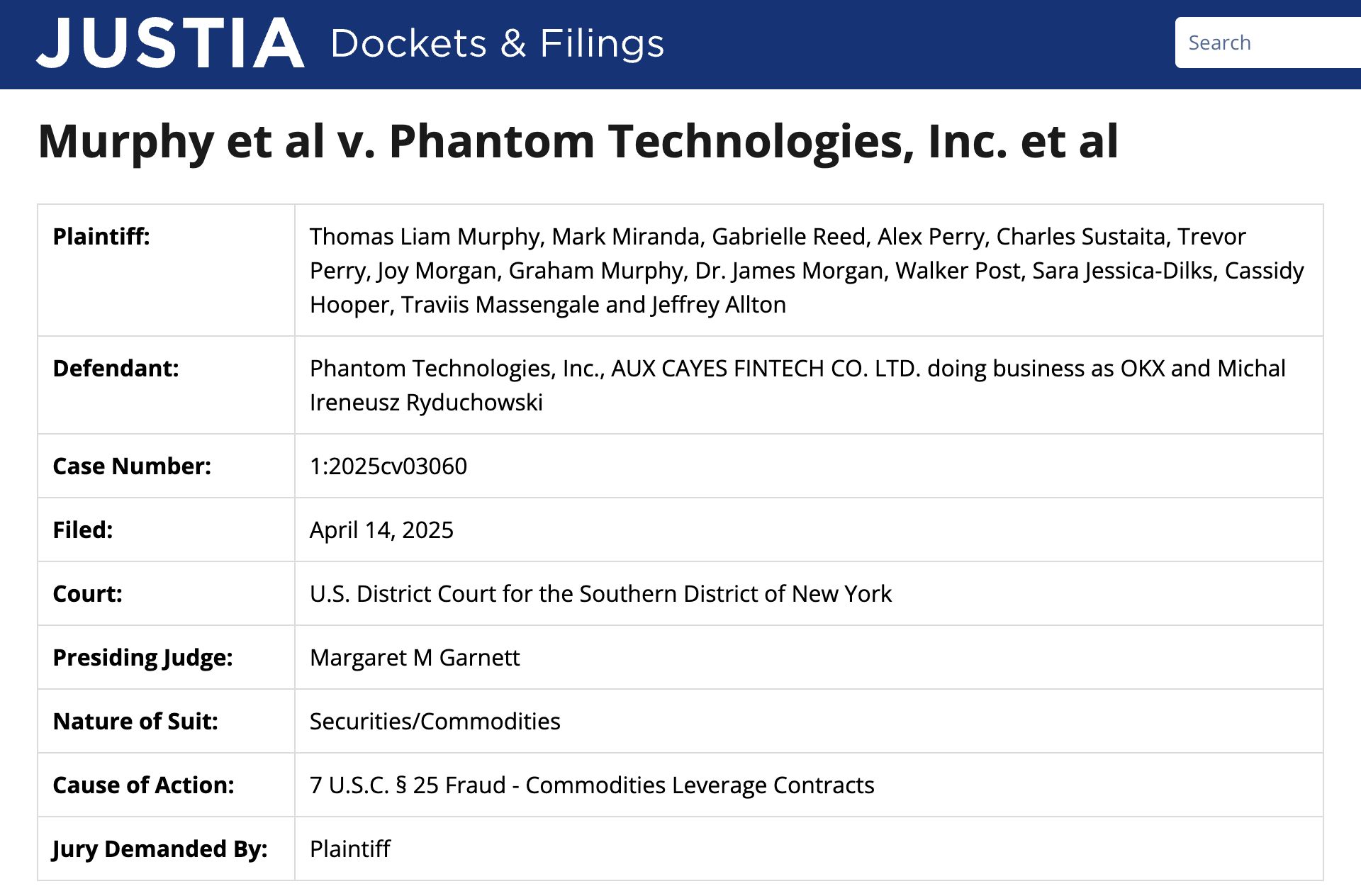
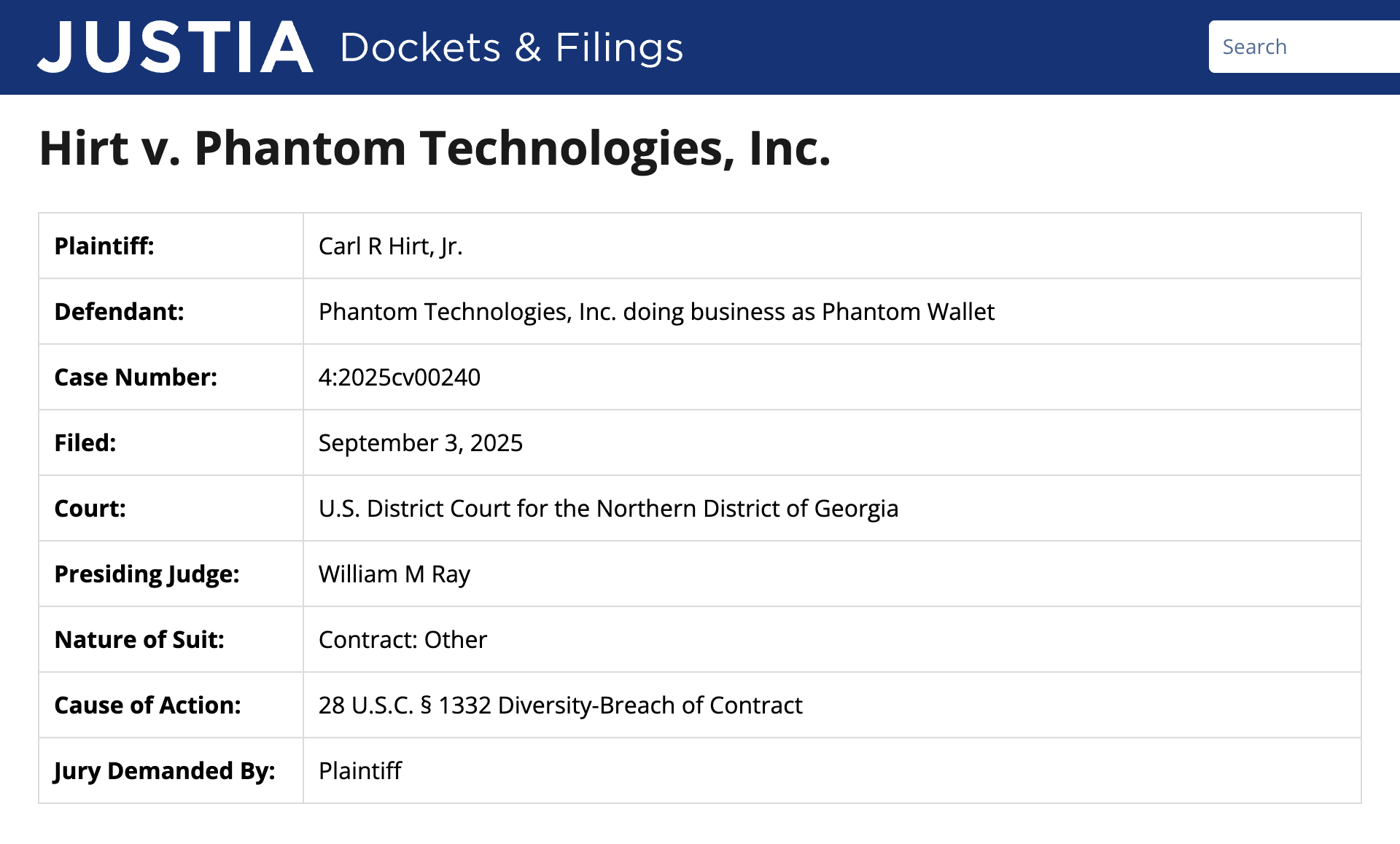
On Sep. 3, 2025, Hirt v. Phantom Technologies, Inc. was filed in the U.S. District Court for the Northern District of Georgia (a contract dispute). The docket shows Phantom later filed a motion to compel arbitration or, alternatively, transfer or dismiss the complaint.
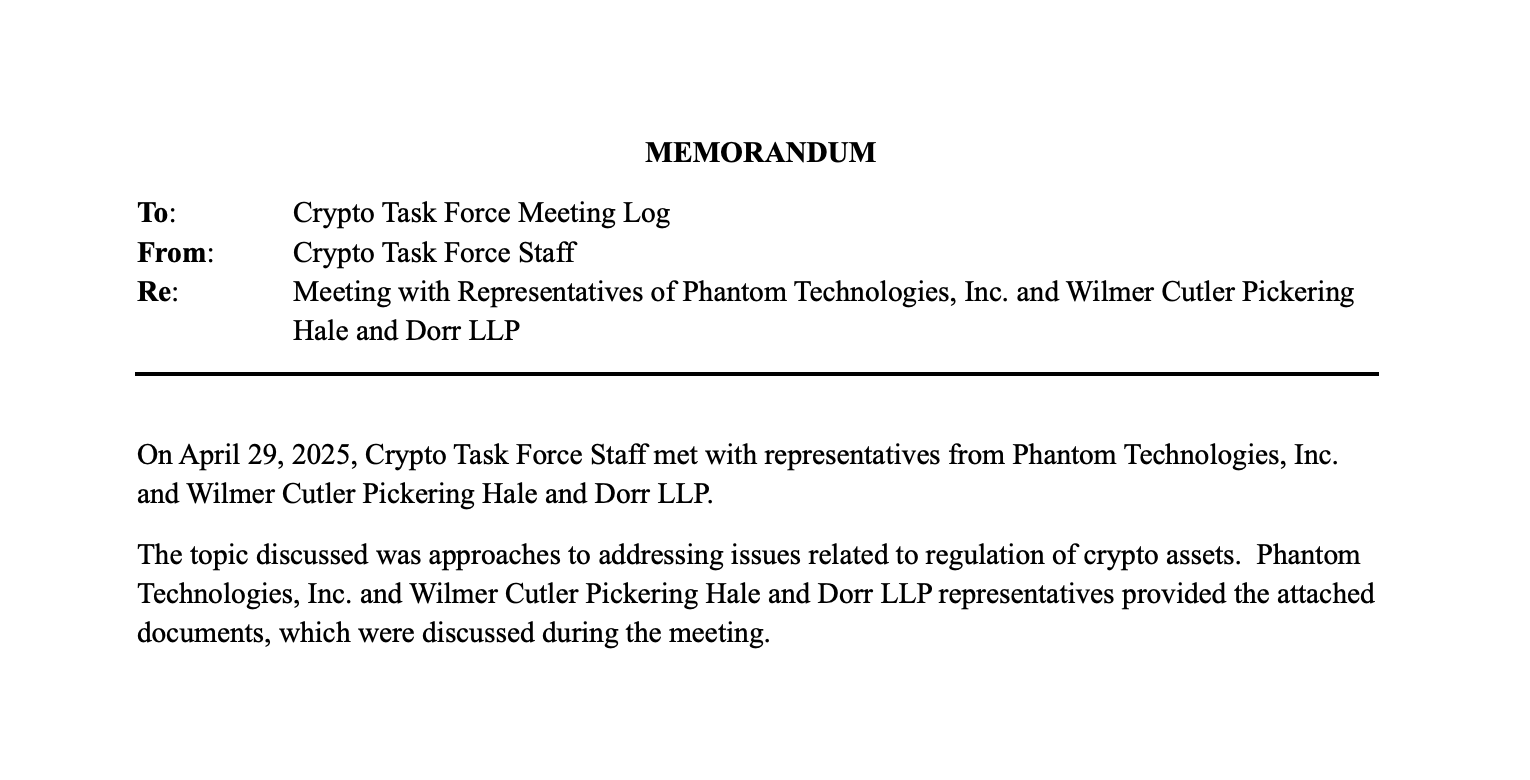
On Apr. 29, 2025, the SEC Crypto Task Force published a meeting log noting a staff meeting with Phantom Technologies and counsel to discuss how the broker-dealer framework could apply to self-custody crypto wallets.
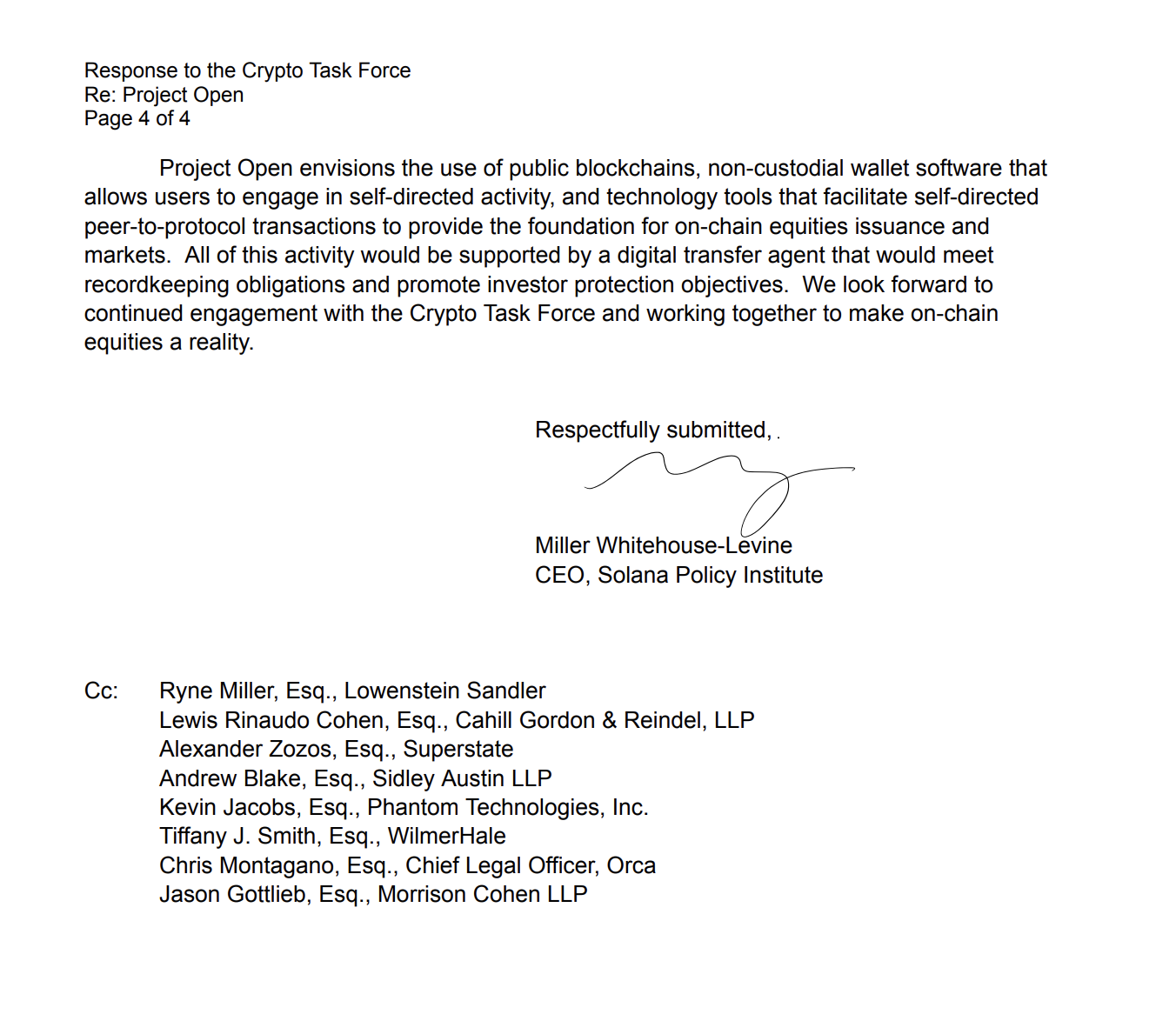
On Jun. 17, 2025, Phantom filed a supplemental letter to the SEC Crypto Task Force in response to a request for comment about Project Open, describing how a self-custody wallet could fit into a tokenized-equities framework and noting that eligibility for such products could require KYC whitelisting.
These items do not prove a wallet is unsafe, but they do show where real-world disputes and policy questions have surfaced. If you use Phantom, it is worth treating the browser environment as a high-risk area, keeping backups safe, and limiting approvals to the minimum needed for each dApp interaction.
GNcrypto’s overall Phantom rating
After our test, Phantom feels like a Solana-first wallet that has grown into a practical multi-chain app for everyday use. Setup is fast on both extension and mobile, signing previews and spam filtering reduce common mistakes, and Solana-native workflows (tokens, NFTs, staking) are smooth. We rated it highly for usability and security prompts, but knocked it down for limited coverage across popular EVM chains and for the added wallet-level fee on swaps and bridging.
| Criteria | Rating (out of 5) |
|---|---|
| Security & Key Management | 4 |
| Supported Assets & Networks | 3 |
| Transaction Costs & Speed | 4 |
| User Experience & Interface | 5 |
| DeFi & dApp Integration | 3 |
| Recovery & Backup Systems | 4 |
| Customer Support & Documentation | 5 |
| Total Score | 4.0 |
How we test hot crypto wallets
At GNcrypto, we put transparency first when evaluating hot cryptocurrency wallets. Our reviews are based on hands-on testing and thorough analysis across all key dimensions that matter for self-custody and daily crypto use.
Our basic principles for evaluating hot crypto wallets can be found in this article.
The material on GNcrypto is intended solely for informational use and must not be regarded as financial advice. We make every effort to keep the content accurate and current, but we cannot warrant its precision, completeness, or reliability. GNcrypto does not take responsibility for any mistakes, omissions, or financial losses resulting from reliance on this information. Any actions you take based on this content are done at your own risk. Always conduct independent research and seek guidance from a qualified specialist. For further details, please review our Terms, Privacy Policy and Disclaimers.
Articles by this author