Moonpay Bitcoin wallet review 2026: How it works for beginners

MoonPay Wallet is a beginner friendly, on ramp focused crypto wallet built to help you buy, hold, and send without juggling multiple apps. This review covers the first session: setup, first purchase, portfolio and history, and a small test transfer, plus the key mistakes to avoid with networks, fees, and account security.
We walked through the typical beginner path in MoonPay Wallet and focused on what actually happens in the first real session: set up the app, make a first purchase, check portfolio and history, and send a small amount to an external address. MoonPay Wallet feels more like a payments app with a built in wallet than a dApp first tool, which is often exactly what beginners want when the goal is simply buy, hold, and send without extra complexity.
The upside: speed and clarity. The main trade off: on ramp style flow can add friction elsewhere. Costs and available payment methods can vary by region and funding option, and some users may see extra steps before a purchase goes through. On the security side, you are relying on your recovery phrase and the account layer around it, so protecting your email and doing a small test transfer matters. We also highlight a common beginner trap: sending the same token on the wrong network can permanently strand funds. The table below shows how MoonPay Wallet scores across our categories.
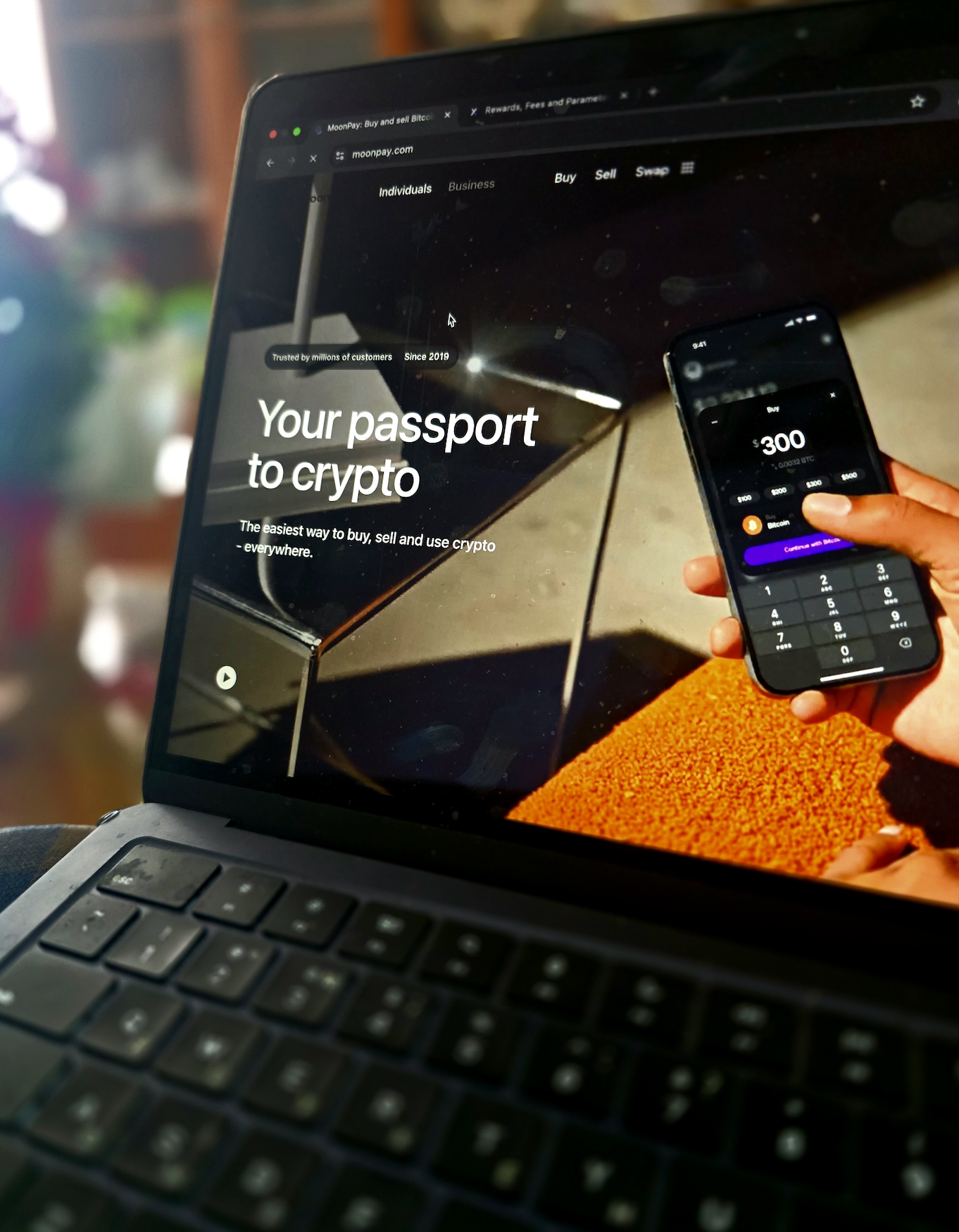
Testing process: we installed MoonPay Wallet on iOS and set up a new account in 3 minutes, including the manual backup of the recovery phrase. Our first purchase was $50 worth of ETH via debit card, totaling $53.50 (a 7% combined fee). The transaction was efficient, taking 4 minutes from card entry to the funds appearing in the wallet.
Transaction performance: for the send test, we transferred $15 in ETH to an external Coinbase wallet. The app quoted a $1.80 network fee (Normal speed), and confirmation was achieved in 2 minutes. On the receiving side, a $10 USDT transfer via the TRON network arrived from Binance in 30 seconds with zero incoming fees.
Recovery testing: we tested the self-custodial recovery by restoring the wallet on an iPad using the 12-word seed phrase. The process took 2 minutes; once the phrase was validated, all balances (ETH, USDT) appeared correctly within 15 seconds.
Integrations and NFTs: DApp connectivity is supported through WalletConnect, which allowed us to link to Uniswap successfully, though the app lacks an integrated native dApp browser. NFT support performed well: a test NFT sent to our ETH address appeared in the wallet’s visual gallery within 1 minute.
MoonPay Wallet at a glance
MoonPay Wallet is best understood as a wallet built around the on ramp experience. Instead of starting from Web3 first features like deep dApp browsing, it focuses on the beginner path of moving from fiat into crypto, then keeping funds in one place, and sending them out when needed. When people search for MoonPay crypto wallet features, they usually want a simple answer to one question: can I buy crypto quickly, see my balance clearly, and move it without getting lost.
In our testing, we treated MoonPay Wallet like a first wallet for someone who is new to self custody. We went through the typical first session flow: setting up the app, completing the first purchase, checking the portfolio and transaction history, and making a small outgoing transfer to an external address. The wallet works more like a payments app with built-in crypto storage than a power user tool, which is a good thing for beginners who want fewer settings and fewer ways to click the wrong button.
The trade off is that convenience is not always neutral. Costs and available payment methods can vary by country and by the funding option you choose, and some users may see extra steps before a purchase is approved. For most beginners, the practical takeaway is to start small, learn the basic send and receive loop, and only then decide whether this style of wallet matches your long term habits.
Custody & key management
MoonPay positions its wallet as non custodial, meaning you are meant to control access to your funds rather than handing custody to the company. The key signal: the recovery phrase. You can export a recovery phrase for your MoonPay wallet, and MoonPay states it does not have access to that phrase. In everyday terms, that means you are not locked into the app forever: if you keep the phrase safe, you should be able to restore the wallet elsewhere even if you stop using MoonPay.
The part that can confuse first time users is the login style. MoonPay often feels like an account based app, with email based sign in flows, but the wallet safety outcome still depends on your recovery phrase. That is why email security matters. If someone takes over the email account you use for MoonPay, they can create a stressful access scenario, so we treat email security as part of the wallet security routine. We think it is safest to treat MoonPay as a wallet plus an account layer: protect both.
On day one, we would keep the checklist simple. Turn on a strong device lock, enable biometric or PIN protection inside the app, and write the recovery phrase down offline on paper. Avoid screenshots and cloud notes. Then do a small test withdrawal to a second wallet you control, just to prove you can send out safely and that you understand the network you are using.
Recovery test: We tested the self-custodial recovery by restoring a wallet on an iPad using the 12-word seed phrase. The process took 2 minutes; once the phrase was validated, all balances (ETH, USDT) synchronized within 15 seconds.
Unlike Ledger Live, which enforces a mandatory verification quiz (requiring you to confirm each word during setup), MoonPay does not verify your backup. The app displays the phrase once and proceeds immediately. While this speeds up the onboarding process, it increases the risk: if you misspell a word or skip the backup, funds are lost forever. For added security, the phrase can be manually exported from the wallet settings at any time.
Finally, remember the limits of support. Customer service can help with account issues, but it cannot reverse an on chain transfer. If you lose access to your device or email, your recovery phrase is the backup plan. This is why we treat MoonPay Bitcoin wallet safety as mostly a personal process, not a feature you outsource.
Supported assets & networks
For beginners, asset support matters less for chain variety and more for covering the coins you actually plan to buy, hold, and send. MoonPay Wallet focuses on a practical core set of networks rather than an endless list. The coverage includes the most common first purchases like Bitcoin and Ethereum, plus a few popular ecosystems that beginners often meet early – Solana and TRON, and it also supports XRP on its native ledger. It also covers several EVM networks, which can be enough for basic Layer 2 activity without needing a separate wallet on day one. If you mainly want to hold a small mixed portfolio and occasionally move funds to another wallet or exchange, this coverage can be enough.
Stablecoins are where most first time mistakes happen, because the same ticker can exist on multiple networks. USDT is the classic example: it can be issued on Ethereum, TRON, and other chains, and sending it on the wrong network can permanently strand funds. Our rule for every transfer is boring but effective: match the network on both sides first, then confirm the address format, and only then send a small test amount if it is a new destination.
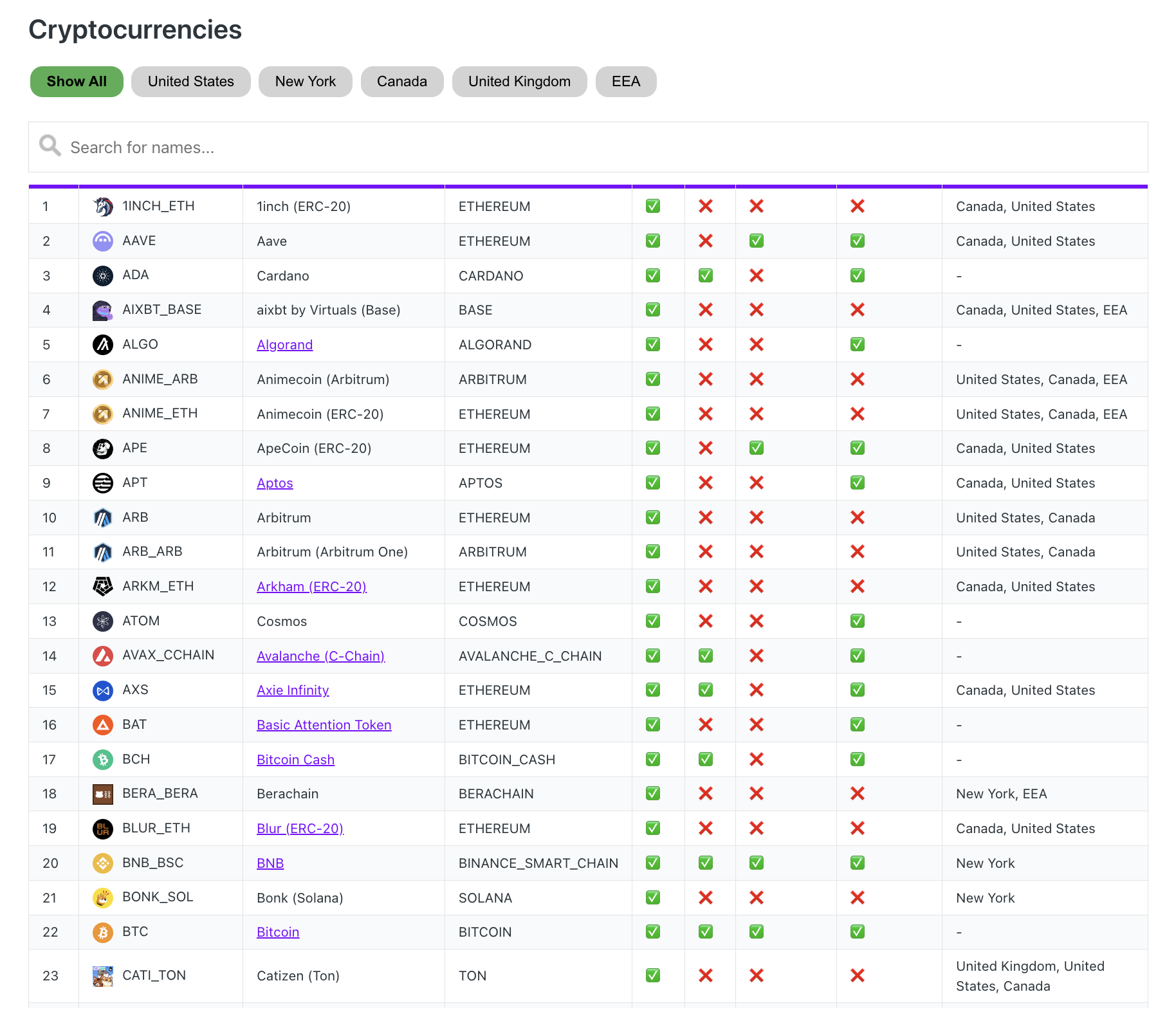
MoonPay Wallet also promotes NFT support, which is useful if you receive NFTs to your wallet address and want basic viewing and storage in the same app, without jumping to a separate gallery. The main limitation is scope. If your goal is wide multi chain coverage, frequent token adds, or heavy DeFi activity across many networks, a MoonPay crypto wallet may feel like a starting point rather than a long term hub, and you may eventually pair it with a dedicated Web3 wallet built for dApps.
Transaction costs & speed
Card purchase test: our $50 ETH purchase via debit card cost $53.50 total – a 7% fee including card processing and provider margin. The purchase took 4 minutes from card entry to ETH appearing in the wallet. For context, buying $50 on an exchange and withdrawing typically costs $1-2 total, making card purchases 2-3x more expensive for small amounts.
Send test: transferring $15 ETH to an external wallet showed $1.80 network fee upfront (Normal speed preset). The transaction was confirmed in 2 minutes with no additional hidden fees. The fee display was clear and matched the actual network cost.
Receive test: receiving $10 USDT on TRON network was instant – funds appeared in 30 seconds with no fees. The app auto-detected the incoming transaction and updated the balance immediately.
Network fee presets: for Ethereum sends, the wallet offers Slow/Normal/Fast options. During our test (evening hours, moderate congestion), Normal showed $1.80, Fast showed $2.60. No custom gas input was available – you’re limited to the three presets.
DeFi & dApp Integration
MoonPay Wallet supports WalletConnect for dApp connections, though it lacks a native in-app dApp browser. During testing, we successfully connected to Uniswap via WalletConnect – the process was straightforward, and signing transactions worked without issue. The absence of an integrated browser means you must initiate connections from external mobile sites or desktop browsers. For occasional DeFi use, WalletConnect covers the essentials, though heavy users may prefer “Web3-first” wallets like MetaMask or Phantom for a more seamless experience.
In-app swaps: the wallet features a built-in “Convert” tool for instant crypto-to-crypto exchanges. While MoonPay typically advertises zero processing fees for swaps, users still pay blockchain network (gas) fees and a built-in price spread. Based on our observation, this spread can range from 0.5% to over 4% depending on the asset pair and liquidity. Swaps are non-custodial and usually require a minimum transaction of approximately $65.
NFT support: NFT viewing is a core strength of the app. A test NFT sent to our ETH address appeared in the wallet’s visual gallery within 1 minute. The gallery provides clean storage, rarity data, and basic viewing, though it lacks a native marketplace for direct secondary sales. To buy or sell, the app integrates with external partners like OpenSea via MoonPay Checkout, allowing users to purchase NFTs directly with a credit card.
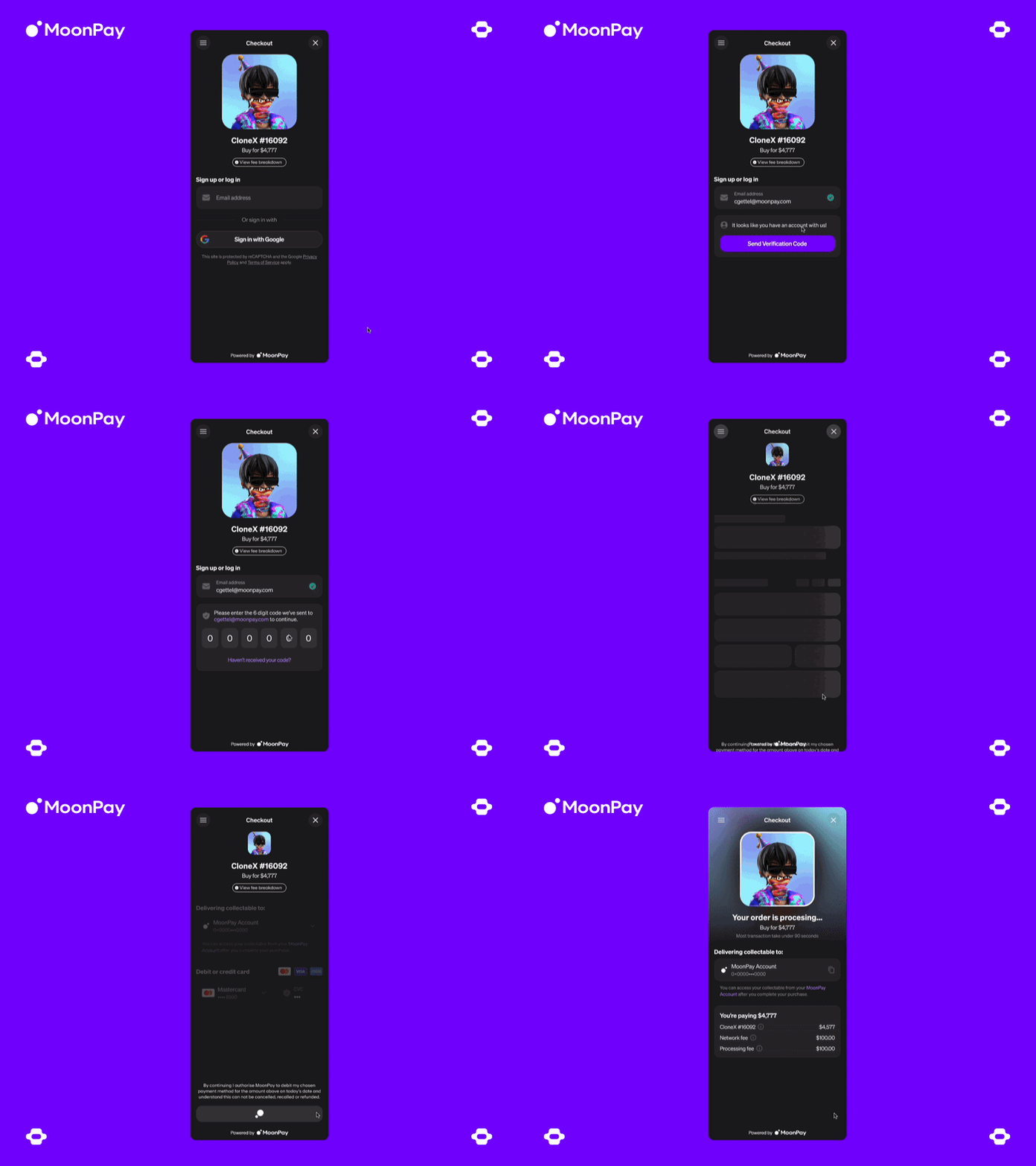
For users who value a simple, fiat-friendly gateway with WalletConnect support, MoonPay Wallet is a solid entry-level choice. However, for those who require native dApp browsing and advanced NFT management, specialized Web3 wallets remain the superior option.
Pros and Cons
In our experience, MoonPay Wallet works best when you want a beginner friendly way to go from fiat to crypto and then send funds out without learning a complex Web3 toolset. The upside is speed and simplicity. The downside is that once you rely on in-app buys or swaps, the total cost and the required steps can vary more than a typical self custody wallet.
Strengths:
- If you want to buy a small amount and send it out the same day, the flow is designed for fast onboarding and clear balances.
- If you prefer an app that feels like payments first, MoonPay can reduce menu clutter and decision fatigue for first time users.
- If you want a clear exit plan, the wallet is designed so you can take access with you if you ever decide to switch apps.
- If you get stuck, MoonPay has a large help center and guided articles that cover common beginner problems like failed purchases and transfer basics.
Weaknesses:
- If you buy in small sizes, card fees and provider pricing can feel expensive compared with using an exchange and withdrawing.
- If you want to avoid identity checks entirely, on ramp style services may still ask for extra verification depending on the transaction and region.
- If you plan heavy DeFi usage, it may feel less Web3 native than a dApp first wallet, especially for frequent app connections and advanced signing flows.
- If you manage many networks and tokens, you may outgrow the supported scope and end up adding a dedicated Web3 wallet.
Trustworthiness Check
Before you pick any hot wallet as your main entry point, we think it is worth checking the public track record around the company behind it. Below: notable regulatory and security signals for beginners to judge risk with open eyes.
- 2025 (Canada, FINTRAC): FINTRAC announced an administrative monetary penalty of $536,853.35 against MP Technology Services Ltd., described as a subsidiary of MoonPay Inc., for AML compliance violations. MoonPay has said it appealed the decision. For everyday users, this does not mean your wallet funds were hacked, but it does signal that MoonPay operates inside regulated payment and compliance frameworks where oversight and enforcement can happen.
- 2025 (United States, DOJ forfeiture filing): U.S. government filings described a crypto scam that used email impersonation and resulted in a large loss, with some funds later traced and frozen. The practical lesson is not about MoonPay Wallet features, but about the ecosystem risk: if your email and identity layer are compromised, crypto transactions move fast and are hard to reverse.
- United Kingdom (FCA marketing rules): MoonPay’s UK facing disclosures reflect the reality that buying crypto through a regulated on-ramp can involve extra steps such as investor categorization, risk warnings, or cooling off style friction. For beginners, the takeaway is simple: the same flow can feel smoother or stricter depending on your country.
- Public security signals: MoonPay maintains a security page and runs a public bug bounty program. We treat that as a positive sign of maturity, but not a guarantee against incidents.
Our takeaway is conservative. MoonPay Wallet can be a convenient beginner entry point, but you should treat it as an everyday wallet rather than a long term vault, and you should factor in the reality that regulated payment rails sometimes add checks, delays, and compliance friction.
GNcrypto’s overall MoonPay Wallet rating
After testing MoonPay Wallet with real purchases and transfers, the platform delivered beginner-friendly onboarding with fast card purchases (4 minutes from card entry to ETH in wallet) and clear portfolio views. Setup took 3 minutes, and the app-style interface reduced complexity for first-time users. We rated it well for ease of use and clear documentation, but knocked it down for high card purchase fees (7% on $50 = $3.50 extra vs. exchange withdrawals at $1-2), limited network coverage compared to Web-first wallets, no native dApp browser (WalletConnect works but requires external initiation), and reliance on email security alongside recovery phrase protection.
| Criterion | Score | Weight | Notes |
|---|---|---|---|
| Security & Key Management | 3.0 | 25% | Non-custodial with 12-word recovery phrase export; email-based login adds dependency; no hardware wallet support; no backup verification quiz |
| Supported Assets & Networks | 3.5 | 20% | BTC, ETH, SOL, TRON, XRP, several EVM L2s; NFT gallery tested and works; narrower than MetaMask/Trust Wallet |
| Transaction Costs & Speed | 3.0 | 15% | Card purchases: 7% total fees ($3.50 on $50 test); $1.80 ETH network fee (Normal); TRON receives instant and free |
| User Experience & Interface | 4.0 | 15% | 3-minute setup; app-style interface with clear balances; payments-first flow reduces clutter |
| DeFi & dApp Integration | 3.0 | 10% | WalletConnect tested successfully with Uniswap; no native dApp browser; basic swap functionality; NFT gallery works well (test NFT appeared in 1 min) |
| Recovery & Backup Systems | 3.5 | 10% | 12-word BIP39 seed phrase; tested recovery on second device (2 min); no backup verification; email login adds dependency |
| Customer Support & Documentation | 3.5 | 5% | Large help center with step-by-step guides; searches for “failed purchase” and “wrong network” returned clear answers; no live support test |
Total: 3.33/5
How we test hot crypto wallets
At GNcrypto, we put transparency first when evaluating hot cryptocurrency wallets. Our reviews are based on hands-on testing and thorough analysis across all key dimensions that matter for self-custody and daily crypto use.
Our basic principles for evaluating hot crypto wallets can be found in this article: How We Test Hot Crypto Wallets
The material on GNcrypto is intended solely for informational use and must not be regarded as financial advice. We make every effort to keep the content accurate and current, but we cannot warrant its precision, completeness, or reliability. GNcrypto does not take responsibility for any mistakes, omissions, or financial losses resulting from reliance on this information. Any actions you take based on this content are done at your own risk. Always conduct independent research and seek guidance from a qualified specialist. For further details, please review our Terms, Privacy Policy and Disclaimers.
Articles by this author