
Kraken Crypto Wallet Review 2026: How This Self-Custody Web3 Wallet Works
Affiliate Disclosure:
GNCrypto editors review services independently. If you click on affiliate links, we may earn commissions, which help support our testing. The goal of our reviews is to provide our readers with the most objective and unbiased overviews of available platforms for spot crypto trading.
Kraken Wallet

Kraken Wallet offers strong self-custody security and multi-chain support with a clean mobile interface, though it lacks desktop access and advanced integrations like hardware wallets or native swaps.
GNcrypto's Verdict

Kraken Wallet is a mobile self-custody wallet that lets users store and manage crypto while keeping full control of their private keys. In our testing, we set up the wallet in minutes, funded it, sent transactions, and connected to DeFi apps via WalletConnect. It supports major networks like Bitcoin, Ethereum, Solana, Polygon, Arbitrum, Base, and Optimism, making it convenient for managing assets and interacting with Web3 in one place. However, we noticed a few limitations: the wallet is mobile-only, there’s no built-in swap feature, and it doesn’t support hardware wallets, which may matter for more active users.
- Full self-custody with user-controlled private keys
- Multi-chain support across major blockchain networks
- Easy connection to DeFi apps via WalletConnect
- Clean and intuitive mobile interface
- Strong privacy features and biometric authentication
- Mobile-only app with no desktop version
- No built-in token swap functionality
- No hardware wallet integration
- Limited support for some advanced token standards
On this page
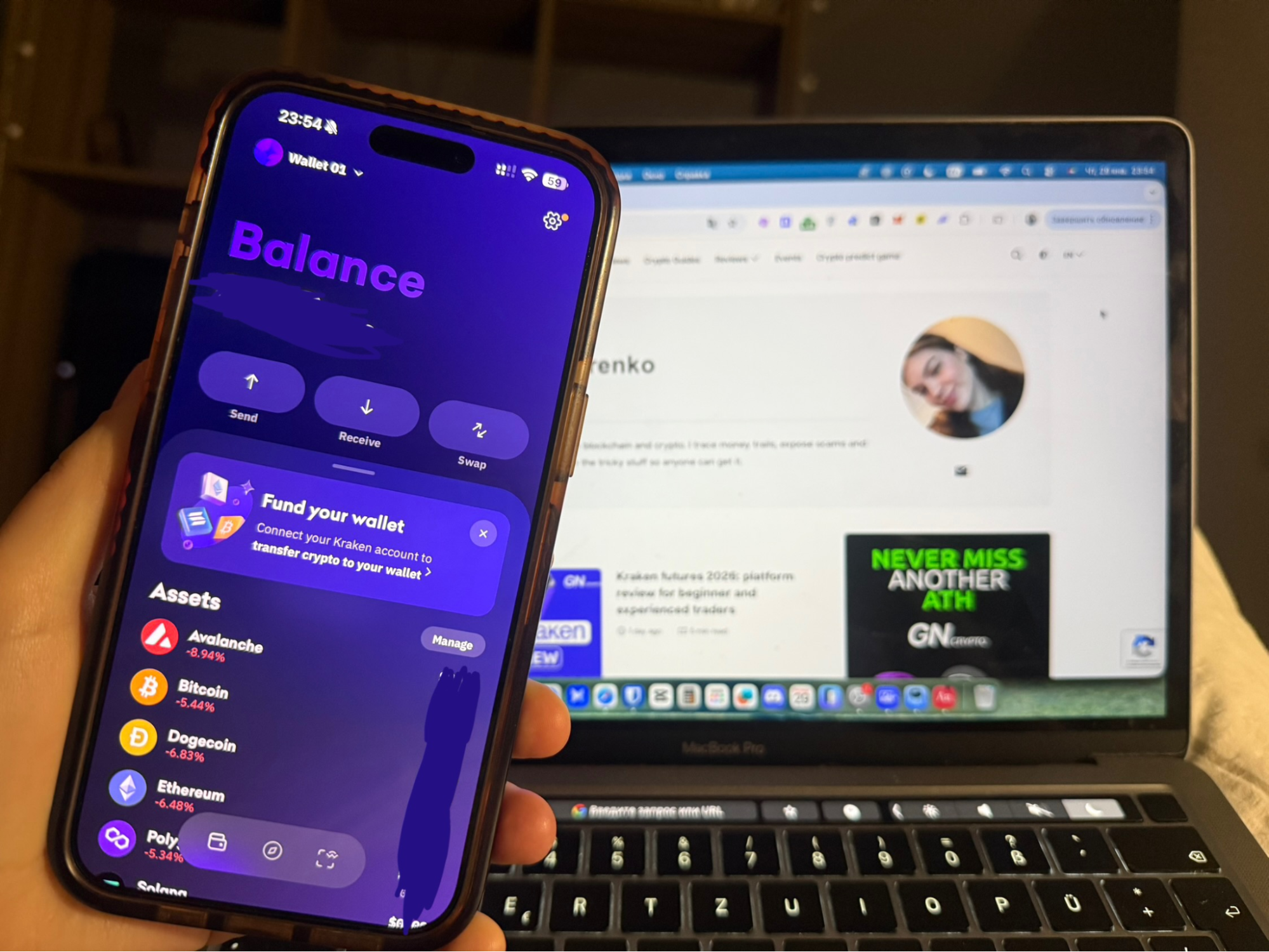
Kraken Wallet is a mobile self-custody wallet designed for managing crypto assets across multiple blockchains while maintaining full user control over private keys. We tested wallet setup, onchain transfers, multi-network asset management, and connections to DeFi applications via WalletConnect. This review highlights the wallet’s security model, supported networks, and usability trade-offs that may affect everyday Web3 interactions.
Kraken Wallet is a non-custodial wallet developed by one of the world’s most reputable crypto platforms. It is a Web3 wallet that allows users to store and manage digital assets with full self-custody, completely separate from a Kraken exchange account. The key feature is direct ownership of private keys: access is secured via a seed phrase that only the user controls. Kraken does not store private keys and has no ability to manage or access user funds.
We tested Kraken Wallet in real-world scenarios: creating a wallet, backing up the seed phrase, funding the balance, sending crypto to an external address, and connecting to decentralized applications via WalletConnect. In everyday use, the wallet proves convenient for asset storage, token swaps, and interaction with DeFi protocols, decentralized exchanges, and NFT marketplaces.
Kraken Wallet supports major blockchain networks and dozens of tokens, enables fast connections to Web3 services, and provides full control over funds. Its main advantage is self-custody: all operations are executed on-chain, and access to assets remains exclusively with the user.
What Kraken Wallet Is
This Kraken crypto wallet review focuses on Kraken Wallet, a self-custody (non-custodial) wallet, separate from the Kraken exchange and not integrated into its custodial infrastructure. It is a standalone Web3 wallet that users install as an independent app and fully control via their seed phrase.
It’s important to clarify the terminology upfront: in this context, Kraken Wallet refers to a self-custody wallet where private keys are held exclusively by the user. Kraken has no access to the seed phrase, cannot manage the funds, and cannot restore access if the seed phrase is lost. That’s why this type of wallet is called non-custodial.
From the perspective of the Kraken ecosystem, Kraken Wallet is not part of a trading account and is not used to store funds within the exchange’s infrastructure. It is an external Web3 tool designed for interacting with decentralized networks, DeFi protocols, NFTs, and other on-chain services. Transfers between Kraken Wallet and the exchange occur as regular blockchain transactions.
For comparison, a wallet inside a Kraken Exchange account is a custodial exchange wallet. There, private keys are managed and stored by Kraken itself; the user does not receive a seed phrase, and access to funds is controlled via login credentials. This setup is optimized for trading, fiat operations, staking, futures, and OTC services.
Kraken employs a multi-layered asset storage model specifically for the custodial part of its platform. According to the company’s official data, roughly 95% of users’ exchange-held funds are kept in cold storage, physically isolated from the network and geographically distributed. The remaining portion is held in hot wallets and used for liquidity and operational purposes.
Pros and Cons of Kraken Wallet
As with any self-custody Web3 wallet, Kraken Wallet is built around a certain balance. On one hand, users enjoy full control over their funds, on-chain access to DeFi and dApps, and independence from exchange infrastructure. On the other hand, there’s increased responsibility for security, the need to store the seed phrase safely, and no “insurance” in case it is lost. This balance is where the key pros and cons of Kraken Wallet arise, as highlighted in many Kraken wallet reviews.
Strengths:
- Full control over your keys and assets. When we downloaded Kraken Wallet, we were immediately prompted to either access an existing wallet via our seed phrase or create a new one. We created a new wallet, and it generated a seed phrase for us, which we saved. There’s also an option to encrypt and store it on iCloud. This means: no platform control, no restrictions on accessing your funds. This is the very foundation of Web3 self-custody, as many Kraken wallet reviews emphasize.
- User-friendly interface. On one screen, you can see all your cryptocurrencies, NFTs, and connected DeFi apps. On a separate screen, there’s a built-in browser that allows seamless connection to various DeFi platforms.
- Integration with DeFi and dApps via WalletConnect. We connected Kraken Wallet to different DeFi protocols, NFT marketplaces, and DEXs through WalletConnect without any hassle: confirm the transaction – and it’s done. This creates a sense of a “unified workspace” for blockchain operations.
- Support for multiple networks and assets in one place. While testing, we easily switched between Bitcoin, Ethereum, Solana, Polygon, Arbitrum, Base, and Optimism – all available within a single interface. This is convenient when your assets are spread across different networks and you don’t want to manage multiple wallets.
- Security and privacy. During testing, we noticed that the app supports biometric authentication, encryption, and does not track IP addresses or personal data – everything is designed to keep your wallet as private and secure as possible.
Weaknesses:
- Limited network and feature support. According to various Kraken wallet reviews, while Kraken Wallet supports many popular networks, some features available in other Web3 wallets are missing. For example, there’s no support for Bitcoin Ordinals or BRC‑20 tokens, and there’s no built-in connection to hardware wallets. This can limit the experience for more advanced users.
- Mobile app only. We wanted to continue using the wallet on a desktop, but Kraken Wallet is only available as a mobile app (iOS/Android). This proved inconvenient when we needed to quickly check balances or sign a transaction on a larger screen.
- Not all tokens and balances display correctly. During testing, we noticed that some tokens or DeFi positions were not always displayed accurately in the interface, especially if they were on non-standard addresses or networks. This can make it slightly more challenging to track a complete portfolio.
Using Kraken Wallet in Practice
To understand how Kraken Wallet works in real-world use, we tested it hands-on – from wallet creation to depositing, transferring funds, and interacting with decentralized applications.
We started by installing the Kraken crypto wallet app on a smartphone. The wallet setup process was straightforward: the app immediately offered two options – access an existing wallet using a seed phrase or generate a new one. No exchange registration or KYC was required; full control remains in the user’s hands.
After creating the wallet, we funded it with $200 USDT on Ethereum. The transfer from an external wallet took 2 minutes (12 confirmations), with $1.85 in network gas. The interface is user-friendly: each asset has its own page with buttons for sending, receiving, and viewing transaction history. A unique address is generated for deposits, and the app warns about the correct network and token, reducing the risk of mistakes during transfers.
Next, we tested sending $15 ETH to an external address. Gas fee was quoted at $1.60 (Normal speed), and confirmation took 2 minutes 15 seconds. The process was intuitive: select the asset, enter the destination address, and confirm the transaction via PIN or biometric authentication. Support for popular standards, such as Ethereum and Solana, makes it easy and secure to move assets across different blockchains.
We also tested connecting to DeFi protocols via WalletConnect. We connected to Uniswap by scanning a QR code – the process took 8 seconds from scan to approval. The wallet prompted us to approve token access, showing an option to set a custom spending limit instead of unlimited allowance. We set a $100 USDC limit. Linking to DEXs and NFT marketplaces worked seamlessly after that initial setup.
Kraken Wallet supports tokens across all the popular networks it serves – for example, Ethereum and other EVM-based blockchains, SPL tokens on Solana, and base coins on networks like Bitcoin or Dogecoin. The interface displays balances, transaction history, and supported DeFi positions on these networks without extra navigation. While the set of networks and features is relatively limited compared to some other Web3 wallets, this keeps the app lightweight and straightforward for everyday use.
Overall, our hands-on testing shows that Kraken Wallet is a reliable and convenient tool for self-custody storage and Web3 interactions. It’s designed for users who want full control over their funds, strong security, and simple access to decentralized applications, all without being tied to an exchange.
Trustworthiness Check
During our testing of the Kraken crypto wallet, we specifically evaluated trust and security – but from a self-custody perspective: how much one can rely on managing their own keys and interacting with the app.
First, we looked at the quality of the wallet’s implementation and the transparency of private key management. The seed phrase is generated during wallet creation and is entirely owned by the user: neither Kraken nor any third-party service has access to the funds. This matters because in trust for a self-custody solution – you are fully responsible for securing your assets, and the risk of a platform hack does not affect your control.
We also examined the interface and security features within the wallet. The app supports PIN codes, biometric authentication, and local data encryption, while transaction approvals are performed directly in the wallet. All operations occur on-chain rather than through a centralized server, ensuring transparency and verifiability for every transaction.
Legal and regulatory aspects play an indirect role: Kraken Wallet operates independently from the exchange and does not require KYC, meaning you manage your assets entirely on your own. For users accustomed to centralized services, this may feel unusual, but in terms of control and security, it’s a significant advantage.
Overall, our testing shows that trust in the Kraken crypto wallet depends heavily on the user’s discipline in handling their seed phrase and private keys. For those prepared to manage their own assets, this wallet offers reliable and predictable storage, an intuitive interface, and secure interaction with dApps.
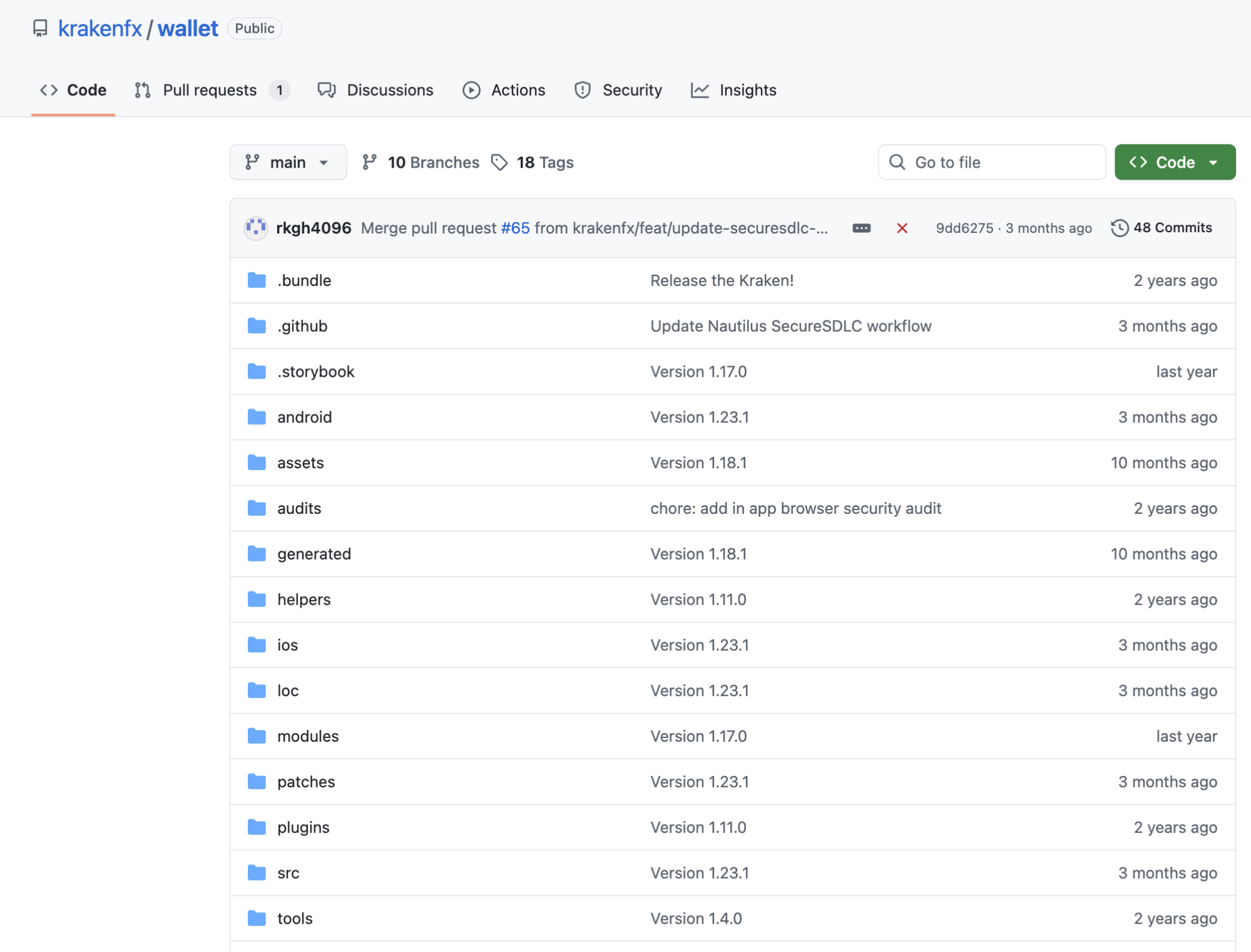
Testing Process
We installed Kraken Wallet on iOS (iPhone) and created a new wallet in under 2 minutes. Setup included generating a 12-word seed phrase (displayed once with manual confirmation required) and setting a 6-digit PIN. Biometric authentication (Face ID) activated immediately after PIN setup.
Funding test: We sent $200 USDT (Ethereum) from an external wallet to the Kraken Wallet address. Funds appeared in 2 minutes (12 block confirmations). Network gas: $1.85 (standard speed).
Transaction test: We sent $15 ETH to the external address. Gas fee quoted: $1.60 (Normal speed), actual confirmation: 2 minutes 15 seconds. Transactions appeared in history instantly with pending status.
Multi-network test: We switched between Bitcoin, Ethereum, Solana, and Polygon networks. Network switching was instant (under 1 second). Each network displayed the correct address format and balance.
Swap test: We attempted to swap $30 USDC for ETH on Ethereum using a built-in browser. Kraken Wallet does not have native swap feature – we had to connect to Uniswap via WalletConnect. Connected in 8 seconds, swap executed via Uniswap interface. Total cost: 0.3% Uniswap fee ($0.09) + $1.40 gas = $1.49.
DeFi connection test: We connected Kraken Wallet to Uniswap via WalletConnect. The approval prompt showed unlimited USDC allowance with the option to set a custom limit – we set a $100 limit instead of unlimited. Connection took 8 seconds from QR code scan to approval.
NFT display test: We sent the test NFT (Polygon) to Kraken Wallet address. NFT appeared in the “Collectibles” tab within 1 minute with image and metadata displayed correctly.
Recovery test: We deleted the app, reinstalled it on a second device (iPad). Used 12-word seed phrase to restore wallet. All balances, transaction history, and network settings restored in under 90 seconds. iCloud backup option was also available (encrypted).
Customer support: We submitted a ticket via Kraken support portal (as wallet has no in-app support) asking about hardware wallet integration. Response received in 26 hours via email.
GNcrypto’s Overall Kraken Wallet Rating
To form our final assessment of the Kraken crypto wallet, we tested it under real-world conditions – from wallet creation and setup to funding, transferring assets, and interacting with dApps via WalletConnect. Our evaluation took into account that Kraken Wallet is a self-custody (non-custodial) wallet, focusing specifically on user control over private keys and assets.
During testing, the wallet proved to be a reliable and convenient tool for independently storing and managing crypto assets. Its strengths lie in transaction transparency, key security, an intuitive interface, and the ability to interact with DeFi protocols and NFT marketplaces. At the same time, compared to custodial solutions, Kraken Wallet requires a high level of user discipline, since full control and responsibility for funds rests entirely with the user. Additionally, its set of networks and features is somewhat limited compared to more advanced Web3 wallets. These factors are reflected in our final evaluation across each usage criterion.
| Criterion | Score |
|---|---|
| Security & Key Management | 5.0 |
| Supported Assets & Networks | 4.0 |
| Transaction Costs & Speed | 4.0 |
| User Experience & Interface | 4.5 |
| DeFi & dApp Integration | 4.5 |
| Recovery & Backup Systems | 4.0 |
| Customer Support & Documentation | 3.5 |
How We Test Hot Crypto Wallets
At GNcrypto, we put transparency first when evaluating hot cryptocurrency wallets. Our reviews are based on hands-on testing and thorough analysis across all key dimensions that matter for self-custody and daily crypto use.
We do not audit wallet code or guarantee security against all attack vectors. Instead, our scores reflect usability, feature completeness, and observable security practices. We do not accept payment for ratings or modify scores based on partnerships.
Categories & Weights
We rate hot wallets on seven criteria. Security and Asset Support are weighted heaviest because a wallet that isn’t safe or can’t hold your coins is useless, regardless of how pretty the UI is.
- Security & Key Management – 25%
- Supported Assets & Networks – 20%
- Transaction Costs & Speed – 15%
- User Experience & Interface – 15%
- DeFi & dApp Integration – 10%
- Recovery & Backup Systems – 10%
- Customer Support & Documentation – 5%
Latest News





Recommended Articles/Reviews



The material on GNcrypto is intended solely for informational use and must not be regarded as financial advice. We make every effort to keep the content accurate and current, but we cannot warrant its precision, completeness, or reliability. GNcrypto does not take responsibility for any mistakes, omissions, or financial losses resulting from reliance on this information. Any actions you take based on this content are done at your own risk. Always conduct independent research and seek guidance from a qualified specialist. For further details, please review our Terms, Privacy Policy and Disclaimers.